
Redeeming a promo code
A promo code gives you Premium for free for a set number of days. The number of days depends on the code. You don't pay anything, and you don't need an App Store or Google Play subscription. The code works the same on iPhone and Android.
How to redeem a code
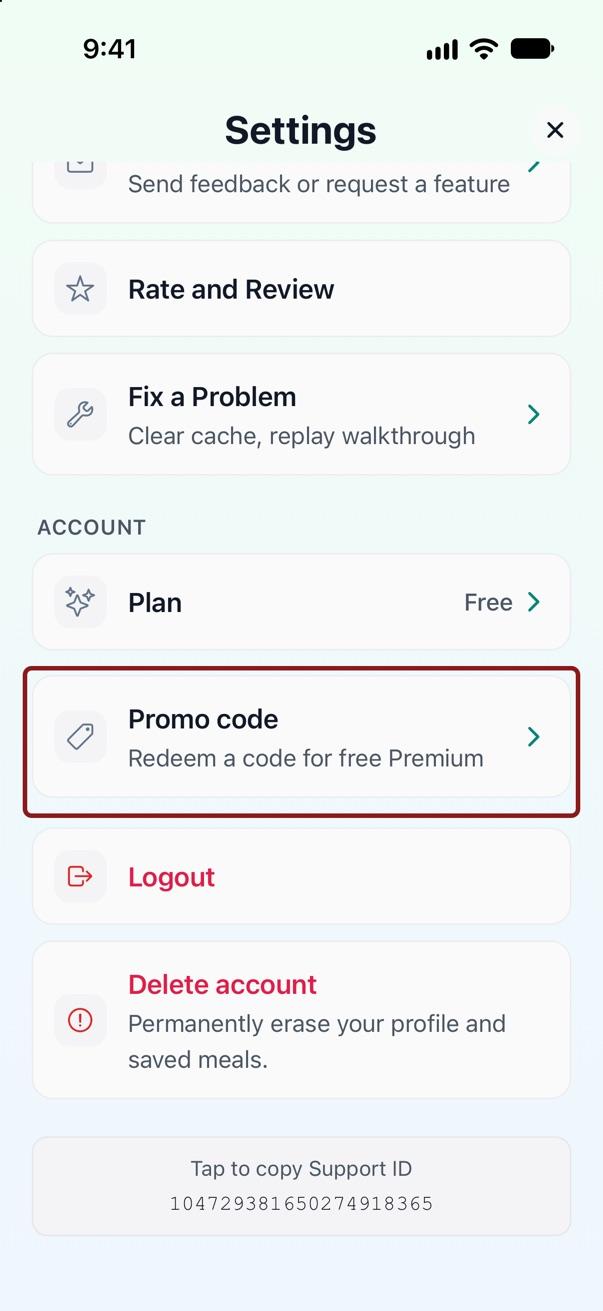
- Tap the profile icon in the top right, then tap Settings.
- Scroll to the Account section and tap Promo code.
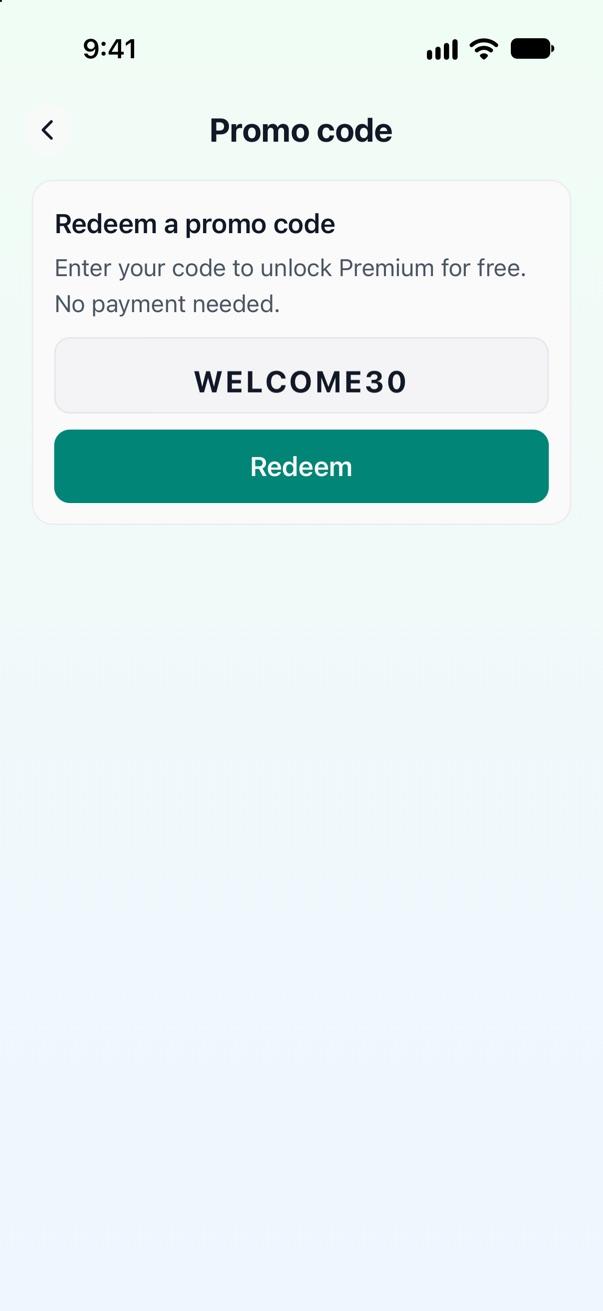
- Enter your code and tap Redeem. Codes use only letters and numbers, and capital letters don't matter.
- Your free Premium starts right away.
When you reach the free plan's limit, the app shows the Premium Required screen. Tap Have a promo code? at the bottom of that screen to open the same code field.
See when your free Premium ends
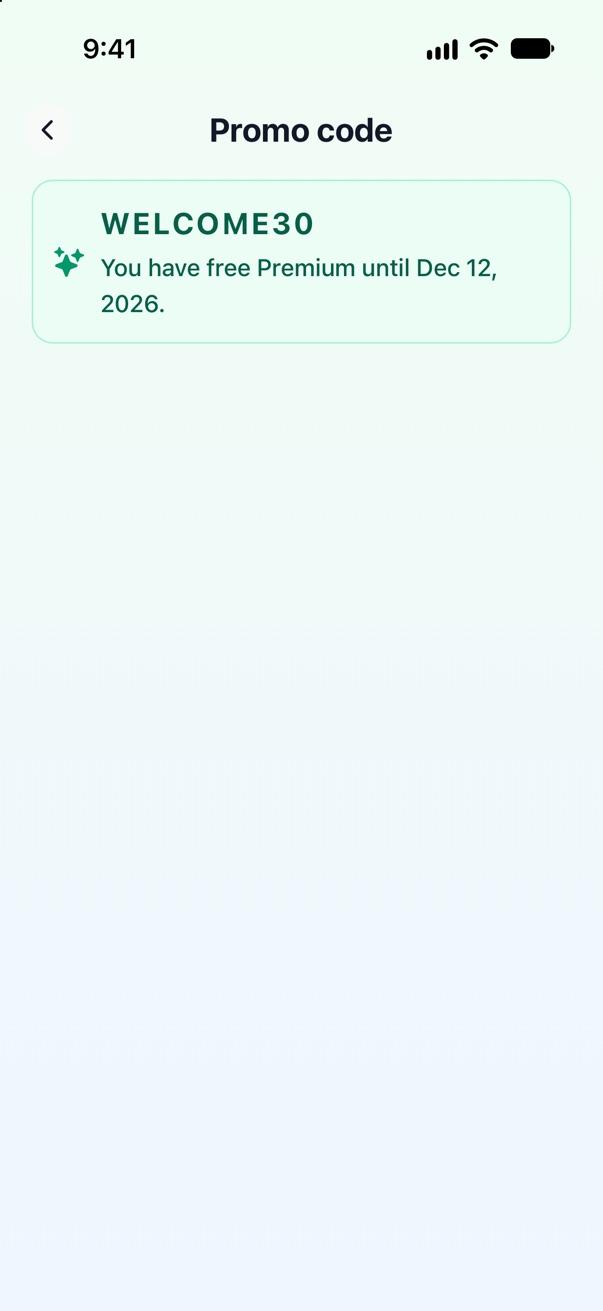
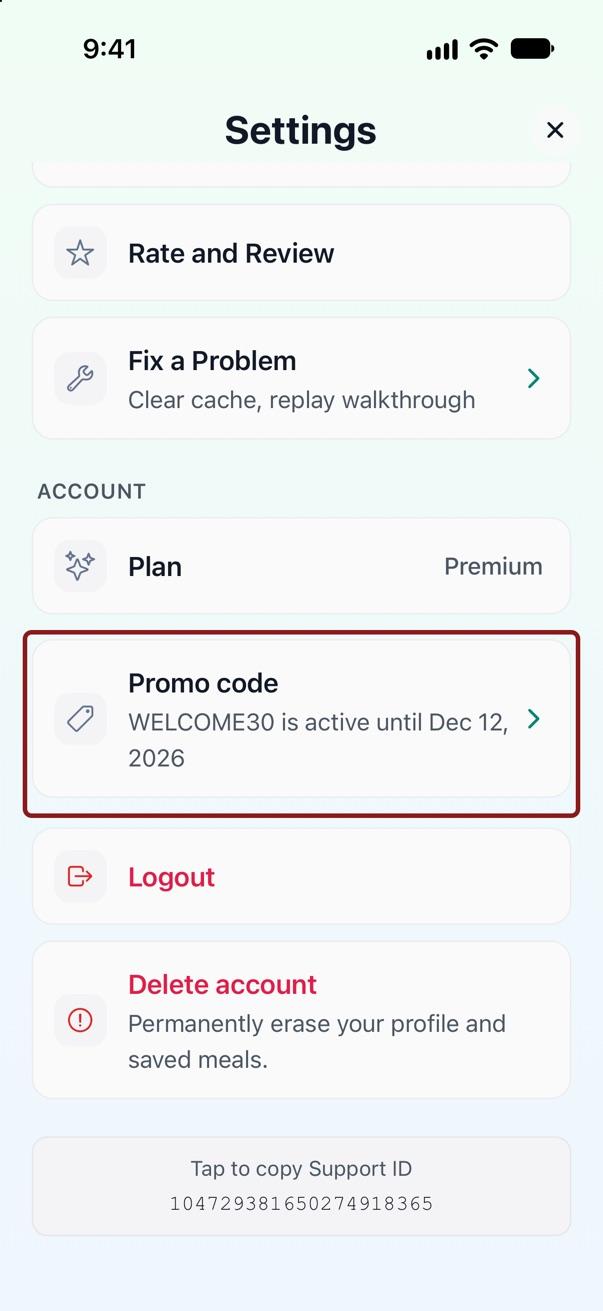
After you redeem a code, the Promo code screen shows your code and the date your free Premium ends. The Promo code row in Settings shows the same date, and the Plan row shows Premium.
On the end date, your account goes back to the free plan. Nothing renews and you're never charged. Your meals and history stay in your account.
Rules for promo codes
- You can have one active promo code at a time.
- After your promo ends or is revoked, you can redeem a different code.
- You can redeem each code only once per account.
- Your free Premium belongs to your NutriShot AI account. It works on any phone where you sign in with the same Apple or Google login.
- A promo code doesn't change an App Store or Google Play subscription. If you have one, manage or cancel it in the store where you bought it.
- A code stops working after its last use or after its deadline.
If a code doesn't work
The app shows one of these messages. Each one says what happened.
- "That code isn't valid. Check it and try again." Compare the code you entered with the code you received.
- "This code is no longer available." The code passed its deadline or was turned off.
- "This code has no uses left." The code has been used as many times as it allows.
- "You've already used this code." Your account redeemed this code before.
- "You already have a promo code active." Your free Premium from another code is still running.
- "Too many attempts. Try again later." You entered codes too many times in a short time. Wait an hour and try again.
If a code still doesn't work, email us the code and your Support ID. Your Support ID is at the bottom of the Settings screen.
Related articles
Ask us directly
Email us and we'll help. We reply within 24 to 48 hours.
Email support